To view the messages, send by OBU;
- Click on ‘OBU Messages’.
- Now the user will be directed to the page in the figure given below;
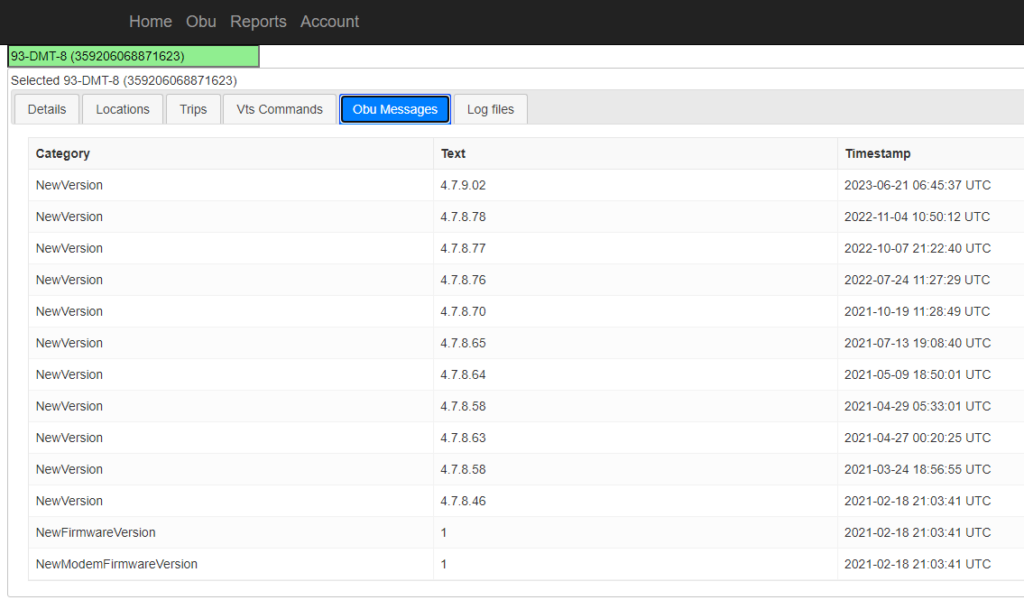
- The user can see 3 details of messages sent, which are;
- Category: The category of command that was implemented.
- Text: The detail about the executed command.
- Timestamp: The time at which the command was executed.