When a user enters an OBU Number/IMEI Number/License Plate, they will be directed to ‘Details’ page under navigation tab ‘OBU’.
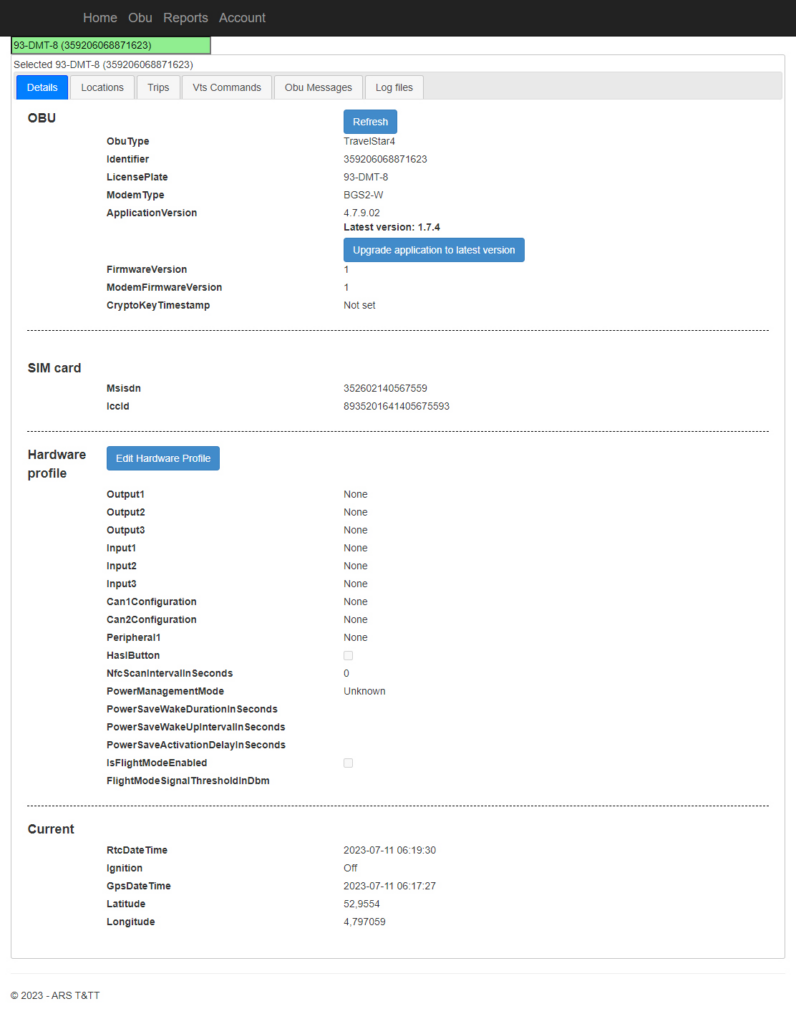
Details – OBU #
This provides details about the OBU.
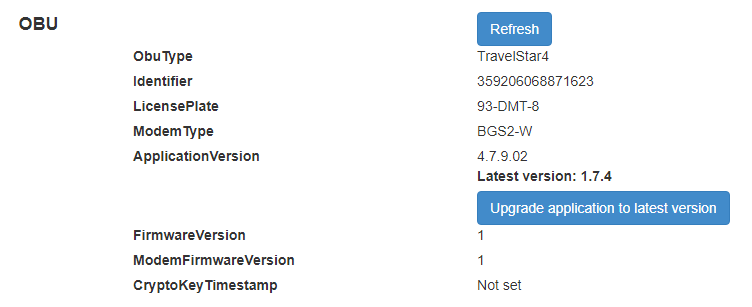
- The details about the OBU are
- OBU Type – Type of OBU used.
- Identifier – The OBU/Identifier number.
- License Plate – License Plate number of the vehicle for given OBU.
- Modem Type – The type of modem used inside the OBU.
- Application Version – Version number of the application installed.
- Firmware Version – Version number of the firmware.
- CryptoKey Timestamp – Whether timestamp is set or not- set.
- The ‘Refresh’ button refreshes the data/details in the OBU area if clicked.
- The ‘Upgrade application to latest version’, if clicked will update the application version to the latest version of OBU.
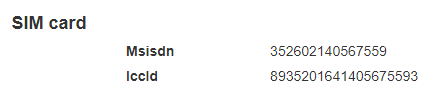
Details – Sim Card #
Details about the SIM Card used in OBU is given here.
Details – Hardware Profile #
The hardware details of the OBU are displayed as shown below:
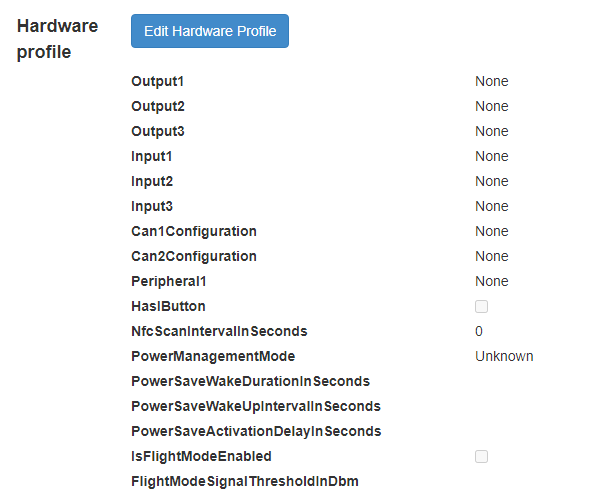
To update the ‘Hardware profile’.
- The user can enter the command they want to send in the field ‘Enter VTS Command here’
- To send the command entered click on ‘Send Manual Command’
- Response will be updated in ‘Response will end up here’ block.
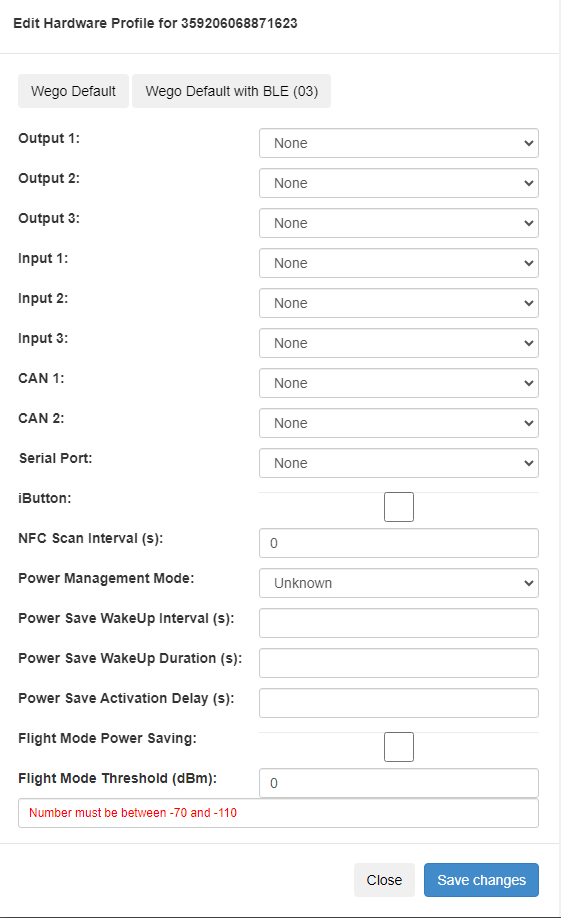
- The user can enter the details manually or fields can be filled with default values automatically by selecting either one of ‘Wego Default’ and ‘Wego Default with BLE (03)’ that can be seen at the top of the pop up box.
- The value for Flight Mode Threshold must be between -70 and -110.
- To save/update the changes, click ‘Save changes’ button.
- Click on ‘Close’ button, to not save any of the changes.
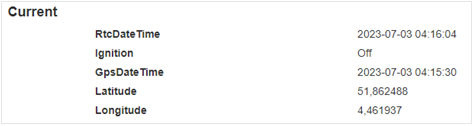
Details – Current #
Details about the SIM Card used in OBU is given here.