To find the locations, the user should follow the given steps:
- Click on ‘Locations’. The user will be directed to a page as shown below.
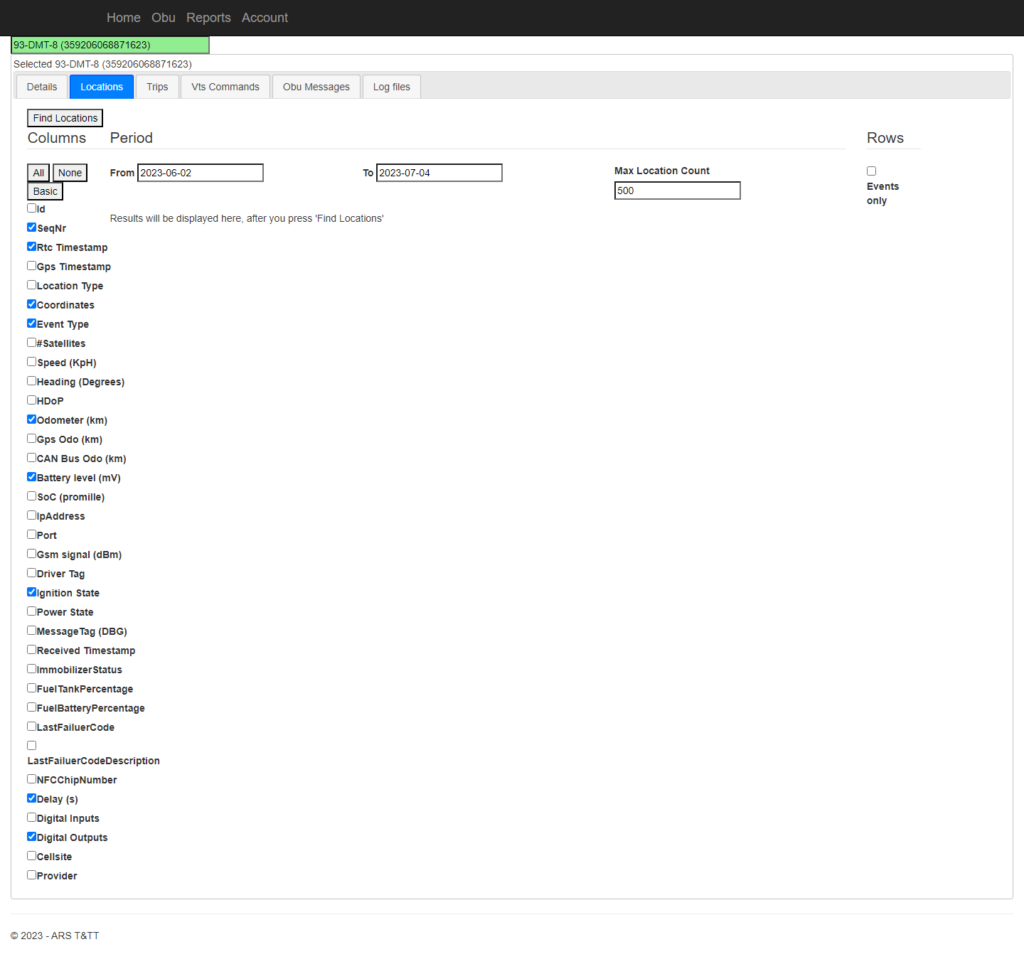
- Select ‘From date’ and ‘To date’ from the calendar.
- Give input to the ‘Max Location Count’
- Now select either of ‘All, None, Basic’, as per requirement.
- Selecting ‘All’ checks all the checkbox to the left of the application screen.
- Selecting ‘None’ deselects every checkbox.
- Selecting ‘Basic’ checks the checkbox that is already set as default.
- User can also select required checkboxes manually.
- Now click on ‘Find Locations’ to display the locations as given below;
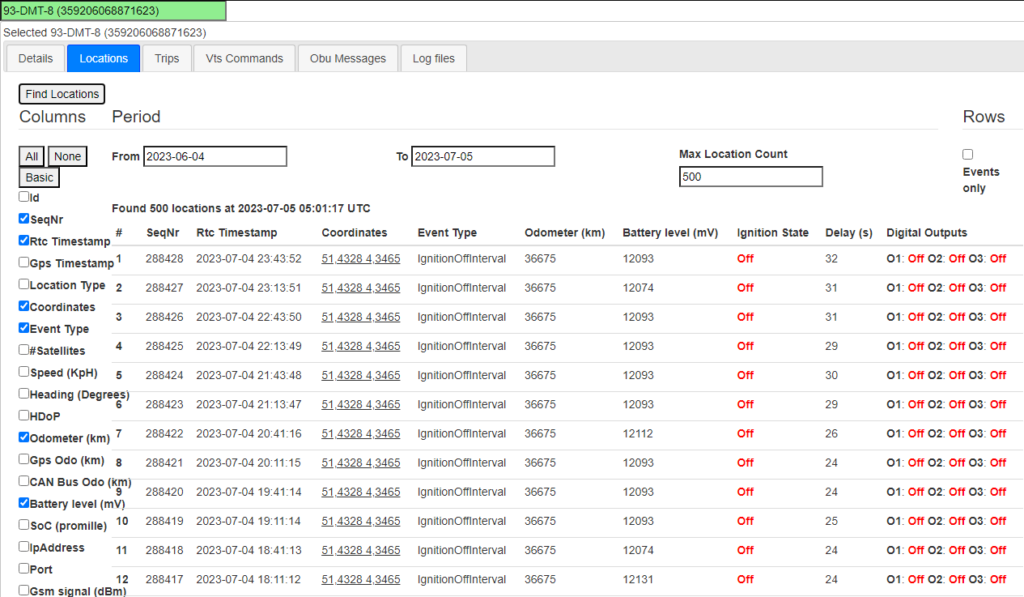
- Click the checkbox ‘Events only’ to display only specific events in the page.