- Click on ‘OBU’ from the navigation bar which directs them to the page as given below;

- Now enter a OBU or IMEI Number in the field given.

- While entering the OBU or IMEI Number, if it already exists in the application, a list of OBU numbers will be shown as a dropdown list below the above field.
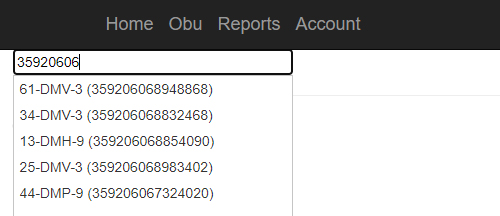
- The user can select the required number from this list or shall enter the number manually.
- Once the field ‘Please enter a License Plate or IMEI’ is filled with a number and if it exists in the list then the user shall be able to obtain details as given below.
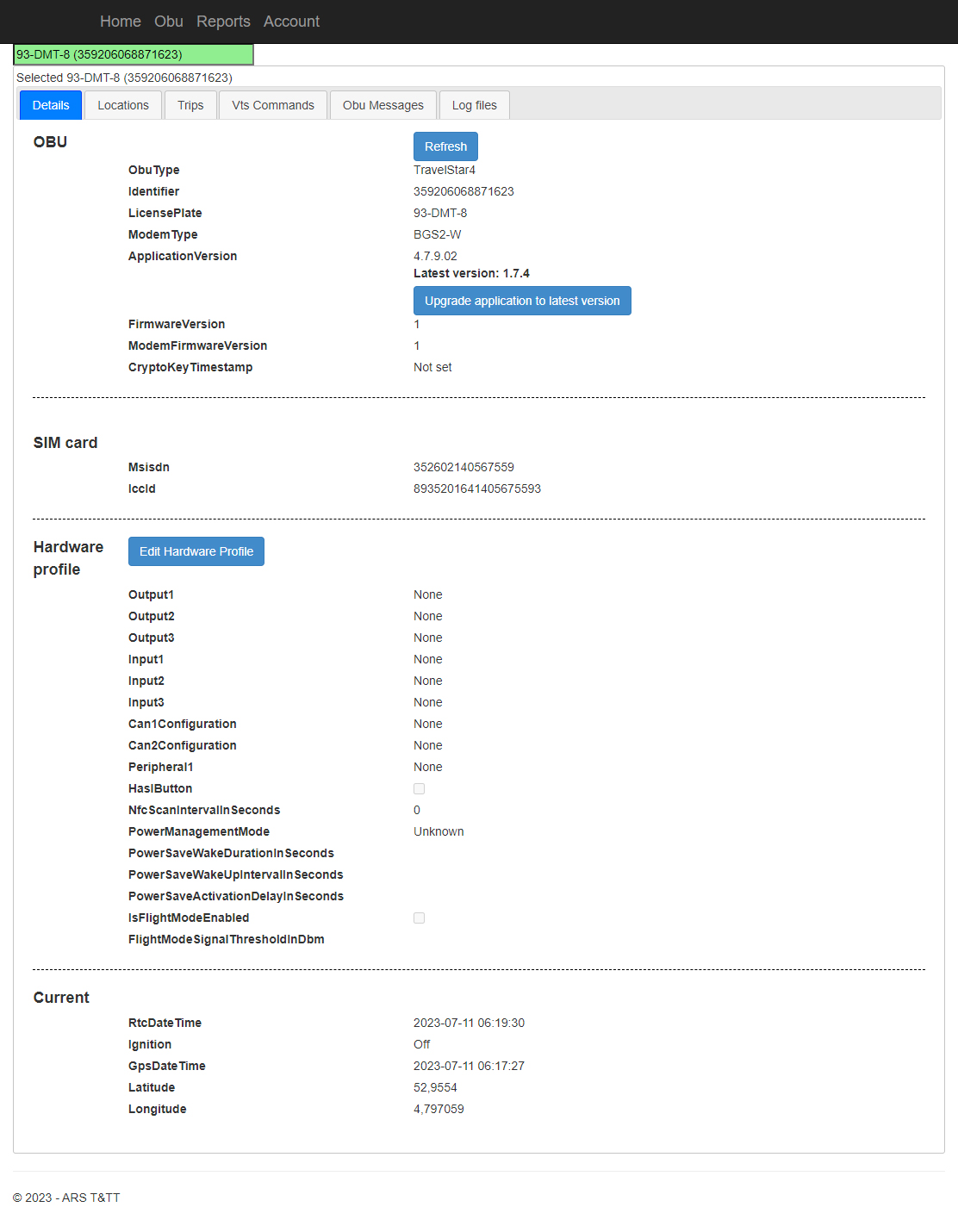
The details that are displayed in this page is given in the table below.
| Details | Description |
| OBU | This provides details about the selected OBU. |
| SIM Card | This area details about the SIM Card used in the OBU. |
| Hardware Profile | Provides information about Hardware of selected OBU/ Vehicle. |
| Current | Details about the current status including Location, Time and Date. |